Christmas Ice Queen AI Video
Upload one photo and you appear three times in one snowy Christmas poster: glowing in the night sky, holding a crystal snowflake in a fur coat, and walking to a lit-up village. 6 or 10 seconds.
- 1 photo
- 6 s / 10 s
- One video from $4.99
- 720p MP4, original AI-made music, no watermark
- Credits back if it fails
Create your video
1Your photo
Best results: one person, facing the camera, chest up, sharp and evenly lit. Your photo becomes the face in the sky, the person in the fur coat and the tiny figure on the snowy path, all in the template's white fur-collared coat. No sunglasses, hats or group shots.
2Length
Sign in and you can see 2 free previews of yourself in this scene before paying. Sign in
Template: our own AI-made Christmas Ice Queen poster with an AI-generated person · original AI music · AI render · full 10 s · sample photo is AI-generated
Also called: Christmas Ice Queen AI trend · Ice Queen Filter · Christmas Ice Queen Template · Winter triple portrait · Snow Queen filter · Cinematic snow portrait · snow trend CapCut template · Plantilla reina de hielo navideña · Modelo rainha do gelo de Natal · Șablon regina de gheață de Crăciun
Quick facts: 1 photo, no prompt to write, 6 seconds for USD 4.99 or the full 10 seconds for USD 9.99, paid once with no subscription. You get a 720p vertical (9:16) MP4 with original AI-made music. Before you pay, you can see 2 free still previews of yourself as the person who appears in the sky, in the fur coat and on the snowy path.
Christmas Ice Queen AI is a TikTok trend from November 2026: a vertical AI Christmas poster that shows the same person three times in one snowy scene. Their face glows huge in the night sky, they stand in a white fur-collared coat holding something glowing, and a tiny version of them walks to a lit-up village. It comes from a one-photo CapCut AI template called "snow trend", put up by the creator rdziy on 2 November 2026. It took off on TikTok from 21 November, and by 26 November 2026 the template had 62,994 uses.
Christmas Ice Queen AI on TrendTemplate is our own AI-made version of that poster, with your face in all three places. Upload one photo and you're the face in the sky, the person in the fur coat and the tiny figure on the snowy path. Ours is 10 seconds and ends with a soft white flash; the CapCut template is about 17 seconds.
What is the Christmas Ice Queen trend?
The Christmas Ice Queen trend is a short AI video made from one photo of one person. The result looks like a Christmas movie poster in three layers, with snow falling the whole time. The same face and hair show up in every layer.
At the top of a Christmas Ice Queen video, a huge head-and-shoulders portrait fills the night sky. It fades into the stars like a double exposure, with snowflakes drifting in front of it.
In the middle of a Christmas Ice Queen video, the same person stands from the waist up in a long white coat with a thick white fur collar. They hold out one hand, and something glowing floats above it.
At the bottom of the Christmas Ice Queen poster, a tiny version of the same person walks away from the camera along a snowy path. The path leads to a Christmas village with warm lit windows.
What the Christmas Ice Queen figure holds isn't always the same. On the CapCut template's cover and in most posts, it's a silver glass Christmas ornament. In some posts it's a glowing snowflake instead. Some sites say it's always a snowflake, but the posts show both.
The Christmas Ice Queen trend is a CapCut template, not a TikTok filter. Promo posts call it the "Ice Queen Filter", but there's no live effect to point your camera at. People put one photo into the CapCut template and the AI makes the whole poster. Many posts carry a "CapCut · Try this template" button that opens it.
The Christmas Ice Queen trend goes by a few other names. Promo posts call it "Christmas Ice Queen Template", "Winter triple portrait", "Snow Queen filter" or "Cinematic snow portrait". In Spanish it's "Plantilla reina de hielo navideña", in Portuguese "Modelo rainha do gelo de Natal" and in Romanian "Șablon regina de gheață de Crăciun".
Christmas Ice Queen trend timeline
2 November 2026, 18:27 UTC: the creator rdziy puts the template up on CapCut under the name "snow trend". It takes one photo and makes a vertical 9:16 video of about 17 seconds. The name "Christmas Ice Queen" came later, from TikTok posts.
2 November 2026: the trend's sound shows up on TikTok the same day, listed as "original sound - mazsullivan". It's 17 seconds long, the same length as the template.
4 November 2026, 16:04 UTC: @mitka.miteva75, an account from Bulgaria, posts the earliest Christmas Ice Queen video we could find. The caption is just "#CapCut", the clip is 17 seconds, and it had 314 views by 26 November 2026.
Early to mid November 2026: a few Christmas Ice Queen posts a day, mostly captioned just "#CapCut". They come from ordinary accounts, mostly in Europe: France, Romania, Moldova and Germany, plus Mexico. Most got a few hundred views.
21 November 2026, 00:58 UTC: @a7vt5chs4j posts a how-to called "How to make the viral Ice Queen Filter AI trend". It's the first time we saw the name "Ice Queen Filter".
21 November 2026, 04:54 UTC: @isolde3292 posts a Spanish montage of four people's posters, captioned "Plantilla reina de hielo navideña". This is the post that got the trend moving. It had 426,807 views, 7,850 likes and 7,316 shares by 26 November 2026.
22 November 2026, 15:31 UTC: @beatrizaguilarp, an account from Mexico, posts her own poster, with red hair in a bun and just "#CapCut" as the caption. With 79,356 views by 26 November 2026, it's the biggest one by an ordinary user that we found.
22 November 2026, 18:23 UTC: @isolde3292 posts a second montage. It became the biggest Christmas Ice Queen post, with 662,662 views, 10,745 likes and 10,819 shares by 26 November 2026. Promo accounts then copied the caption in Romanian, Portuguese and English.
23 to 26 November 2026: the CapCut template's use count kept climbing. It went from about 32,000 on 23 November to between 40,000 and 52,000 on 24 November (counted at different hours) and 62,994 on 26 November. Videos using the sound went from about 2,400 on 22 November to about 4,400 on 23 November and 10,600 on 26 November.
26 November 2026: we add Christmas Ice Queen AI to TrendTemplate. That day, Google showed no search suggestions for "christmas ice queen ai", "ice queen filter" or "winter triple portrait".
The template, shot by shot
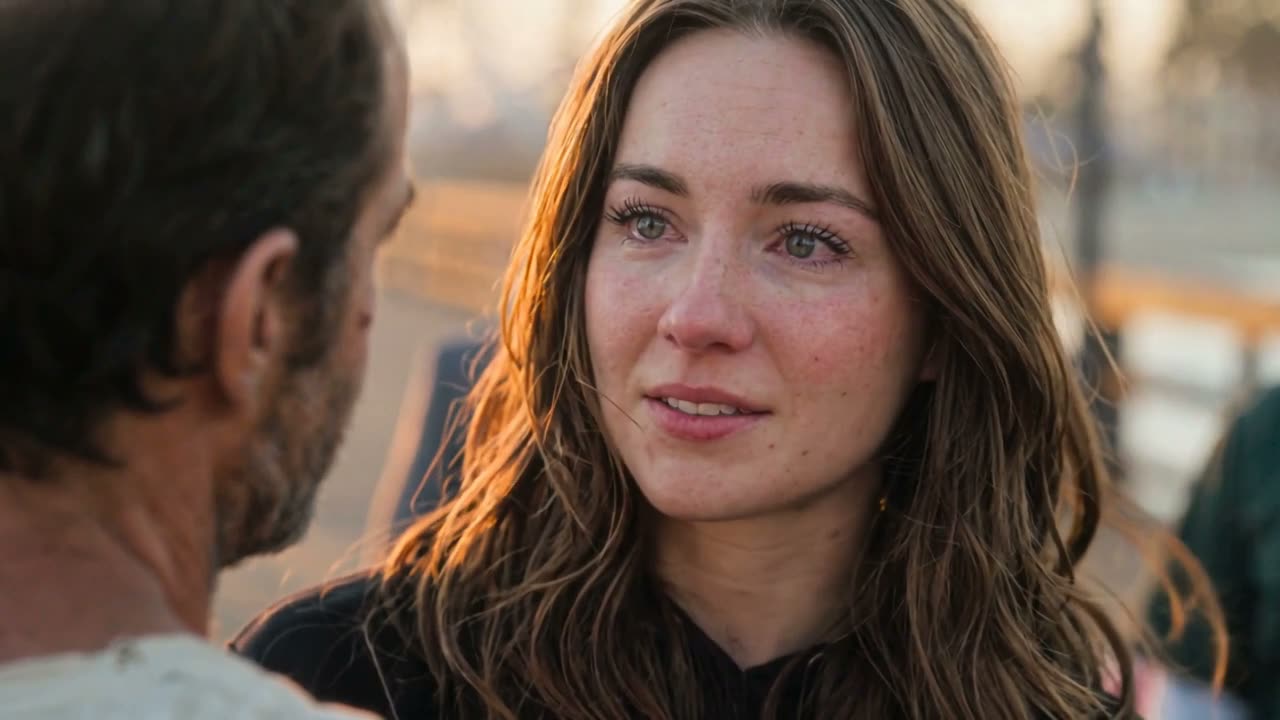
Our Christmas Ice Queen template is our own AI-made Christmas poster that moves, not anyone's CapCut clip. The person in it is an AI-generated woman with long dark brown hair, not a real person. She appears three times, like in the trend.
The Christmas Ice Queen template shows her as a huge glowing portrait in the starry night sky, like a double exposure. Below it, she stands from the waist up in a white coat with a big white fur collar, holding out her palm with a glowing white crystal snowflake above it. At the bottom, a tiny figure of her walks away along a snowy path to a village with lit windows and pine trees.
The Christmas Ice Queen template is one continuous shot with no cuts, vertical 9:16, and you get a 720p MP4. Here's what happens, with times rounded:
About 0 to 6 seconds: snow falls, the face in the sky smiles softly, the snowflake spins and sparkles, and the tiny figure walks toward the village. The camera slowly pushes in.
About 6 to 10 seconds: the camera moves in on the snowflake in her palm. At 10 seconds the snowflake grows bright and a soft white flash fills the frame.
The 6-second Christmas Ice Queen video keeps all three of you in the frame while the snow falls. It costs 5 credits, which the Try pack (USD 4.99) covers. The full 10 seconds goes on to the push-in on the snowflake and the white flash, for 15 credits, one Single pack (USD 9.99).
The Christmas Ice Queen AI video takes a few minutes to render. The full 10 seconds takes about 6 to 8 minutes. You can close the page; the video goes to My videos and we email you when it's ready. If a render fails, your credits come back automatically.
Our Christmas Ice Queen template isn't a copy of the CapCut one. The CapCut template is about 17 seconds, and in most posts the middle figure holds a silver glass ornament. Ours is 10 seconds, the palm holds a crystal snowflake, and it ends on a white flash. If you want the ornament, the CapCut template is the one that has it.
Who plays who, and picking your photo
Christmas Ice Queen AI has one role, shown three times. Your photo becomes the face in the sky, the person in the fur coat and the tiny figure on the snowy path. Your face, hair and skin tone go into all three places.
Christmas Ice Queen AI puts you in the template's clothes, not your own. You wear the long white coat with the big white fur collar, whatever you had on in your photo.
Christmas Ice Queen AI isn't only for women. Men make the trend on TikTok too, and people call their versions "ice king". The white fur-collared coat works for anyone.
Christmas Ice Queen AI is one person per video, like the CapCut template. For a couple or a family, make one video each and post them one after another. That's how the four-person montages on TikTok were put together.
For the best Christmas Ice Queen video, use a photo of one person facing the camera, from the chest up, sharp and in even light. Your face carries the sky portrait and the middle shot, so a clear face matters most. The tiny figure is seen from behind, so there you'll mostly recognize your hair.
Skip sunglasses, hats and group shots. Your clothes and the background don't matter, since both get replaced.
Only use your own photo or one of an adult who said yes. Photos of kids, celebrities and public figures aren't allowed. People have made pet versions on TikTok, like a giant schnauzer in a white cape, but our template is for people, not pets.
The sound
The sound on our Christmas Ice Queen video is original and AI-made: a music box and celesta melody with sleigh bells and winter wind. There are no voices. It isn't the CapCut template's music, and there's no one else's recording in it.
The Christmas Ice Queen trend's sound on TikTok is the template's own background music. TikTok lists it as "original sound - mazsullivan". It appeared on 2 November 2026, it's 17 seconds long like the template, and 10,600 videos used it by 26 November 2026.
The Christmas Ice Queen sound is not a Spanish voice-over. Some sites say it is, but plain exports that only carry this sound have no speech in them at all. The Spanish how-to voice-over comes from promo accounts, which recorded their own audio on top of the music from 21 November 2026.
If you want the TikTok sound on your Christmas Ice Queen video, add it when you post. Tap the sound name on a post that uses "original sound - mazsullivan" and choose to use it.
Not the Frozen filter or an ice queen makeup trend
Christmas Ice Queen AI is not the Frozen or Elsa filter. It has nothing to do with Disney or the Frozen songs. It's a photo template that turns you into a snowy Christmas poster.
The Christmas Ice Queen trend is also not an ice queen makeup look. Search "ice queen" on TikTok and you also get years of Christmas ice queen makeup tutorials, Elsa cosplay and ice bath videos. The trend here is the one with your face in the sky, the fur coat and the little figure walking to a village.
If the Christmas Ice Queen clip you have in mind shows the same person three times in one snowy picture, you're in the right place. If it's someone doing frosty makeup or singing a Frozen song, that's something else, and this template won't make it.
Christmas Ice Queen AI vs the CapCut template and other AI sites
The CapCut "snow trend" template by rdziy is the original, and most TikTok posts come from it. You open it in the CapCut app, add one photo and export a 17-second 9:16 video with the template's music. The template page doesn't show a price, but many TikTok commenters say it asked them to pay.
CapCut is the better pick if you want the exact TikTok look: the full 17 seconds, the template's own music and, in most versions, the silver ornament. It's also the easy choice if you already edit in CapCut.
MakeViral charges 29 credits per video, and its smallest one-time pack is $9.99 for 100 credits. Its video is 5 seconds, 1080p and 9:16, with its own winter music rather than the trend's sound, according to its own page, November 2026.
ViralRemix lets you pick one of 18 real TikTok clips of the trend and puts your face in. One video is 700 credits, a single purchase of $9.90, with cheaper 4- and 8-video packs and monthly plans at $69, $99 and $199. It's 720p and 9:16, keeps the original sound and takes about 7 minutes, according to its own page, November 2026.
Seadanse charges $9.90 for 500 credits, which is one 5-second 720p video, and you don't need an account; 1080p costs 1,480 credits. RemixMeme starts at 82 credits for 480p, makes 5 to 15 seconds at 480p to 720p, and runs on a subscription that's $4.99 for the first week and then $12.99 a week. Both according to their own pages, November 2026.
Christmas Ice Queen AI on TrendTemplate is USD 4.99 for 6 seconds or USD 9.99 for the full 10 seconds, at 720p, paid once with no subscription. You get 2 free still previews first. Ours is longer than the 5-second versions but shorter than CapCut's 17 seconds, and it isn't 1080p, so pick MakeViral if sharpness matters most to you.
TrendTemplate isn't connected to CapCut, MakeViral, ViralRemix, Seadanse or RemixMeme. We name them only to compare, and their prices may change.
Christmas ideas and how to post your video
A Christmas Ice Queen video works as a moving Christmas card. Send it instead of a photo card, or post it as your holiday greeting.
The Christmas Ice Queen video is a fun one for the family group chat. With everyone's OK, make one for each person and post them in a row, so the whole family turns up in the snow one after another.
Your Christmas Ice Queen video is vertical 9:16, so it fills the screen on TikTok, Reels and Shorts with no cropping. The 10-second version ends on a white flash, which makes a clean cut if you join several videos together.
Christmas Ice Queen captions are usually short. Ordinary posts often just say "#CapCut", and Spanish posts use "Plantilla reina de hielo navideña". A short Christmas greeting in your own words works fine.
Say it's AI when you post. Our player and share pages already mark the video as AI-generated.
More Christmas templates are on our AI Christmas video page (trendtemplate.com/ai-christmas-video).
TrendTemplate is not affiliated with or endorsed by TikTok, CapCut, ByteDance, Disney or Frozen, rdziy, @mazsullivan, @mitka.miteva75, @a7vt5chs4j, @isolde3292, @beatrizaguilarp, MakeViral, ViralRemix, Seadanse or RemixMeme. Our template is our own AI-made Christmas poster: the person in it is AI-generated, not a real person, and it doesn't use anyone's TikTok or CapCut video. The music is original and AI-made, not "original sound - mazsullivan" or the CapCut template's music.
How much does a Christmas Ice Queen video cost?
A 6-second Christmas Ice Queen video costs 5 credits. The cheapest way to make one is the Try pack: $4.99 for 5 credits.
| Length | Credits | Cheapest pack that covers it |
|---|---|---|
| 6 s | 5 | Try · $4.99 (5 credits) |
| 10 s | 15 | Single · $9.99 (15 credits) |
No subscription. Credits never expire, and a failed render gives your credits back automatically.
Sample results
One photo in, one video out
 PhotoChristmas Ice Queen
 PhotoChristmas Ice Queen
Questions, answered
Where did the Christmas Ice Queen trend start?
In a one-photo CapCut AI template called "snow trend" by rdziy, put up on 2 November 2026. The earliest TikTok post we found is by @mitka.miteva75 on 4 November. It took off from 21 November, and the biggest post, by @isolde3292 on 22 November, had 662,662 views by 26 November 2026.
Is there a Christmas Ice Queen CapCut template, and is it free?
Yes, it's "snow trend" by rdziy. The easiest way in is the "CapCut · Try this template" button on a Christmas Ice Queen post. The template page doesn't show a price, but many TikTok commenters say it asked them to pay. On TrendTemplate it's USD 4.99 for 6 seconds or USD 9.99 for 10 seconds, after 2 free still previews.
Is this the Frozen or Elsa filter?
No. Christmas Ice Queen AI has nothing to do with Disney or Frozen, and it isn't an ice queen makeup trend either. It's a photo template that makes a snowy Christmas poster with your face in the sky, in a white fur coat and on a snowy path.
Is the ice queen holding a snowflake or an ornament?
It depends on the post. On the CapCut template's cover and in most posts, it's a silver glass Christmas ornament; some posts show a glowing snowflake. On our template, the palm holds a glowing white crystal snowflake.
Can a man do the Christmas Ice Queen AI trend?
Yes. Men make it on TikTok too, and people call those versions "ice king". On our template everyone wears the white fur-collared coat, and your face, hair and skin tone go into all three places.
Can two people or a pet be in one video?
No. It's one person per video, like the CapCut template. For a couple or family, make one video each and post them together. Our template is for people only, not pets.
Can I see a preview before I pay?
Yes. Sign in, upload your photo and tick the consent box, and you get 2 free previews for this template. Each one is a still picture of you as the person who appears in the sky, in the fur coat and on the snowy path, ready in about 30 seconds, and it uses no credits. A preview that fails doesn't count. Only the video costs credits.
Whose photos can I use?
Yours and those of adults who said yes. Photos of kids, celebrities or public figures are not allowed. Videos are marked as AI-generated on our player and share pages; please say it's AI when you post.
Guides and tips
- How to Make the Christmas Ice Queen AI VideoHow to make the Christmas Ice Queen AI video from one photo, on TrendTemplate or with the CapCut "snow trend" template: steps, cost, timing and posting.
- Christmas Ice Queen Trend: Where It StartedWhat the Christmas Ice Queen AI trend is, the CapCut "snow trend" template behind it, who posted first, how it spread in November 2026 and its sound.
- AI Christmas Video Generator: 7 Holiday TemplatesMake an AI Christmas video from your photos: dance with Santa, the pajama dance, Santa on your own home camera, a nutcracker march or a snowman. From $4.99.