Santa Caught on Camera AI
Upload one photo of your living room and get a home security camera clip of Santa sneaking in at night: he leaves gifts under the tree, eats a cookie, looks up at the camera and says shh. 7 or 15 seconds, with "Jingle Bells".
- 1 room photo
- 7 s / 15 s
- One video from $4.99
- 720p MP4, original sound, no watermark
- Credits back if it fails
Create your video
1Your photo
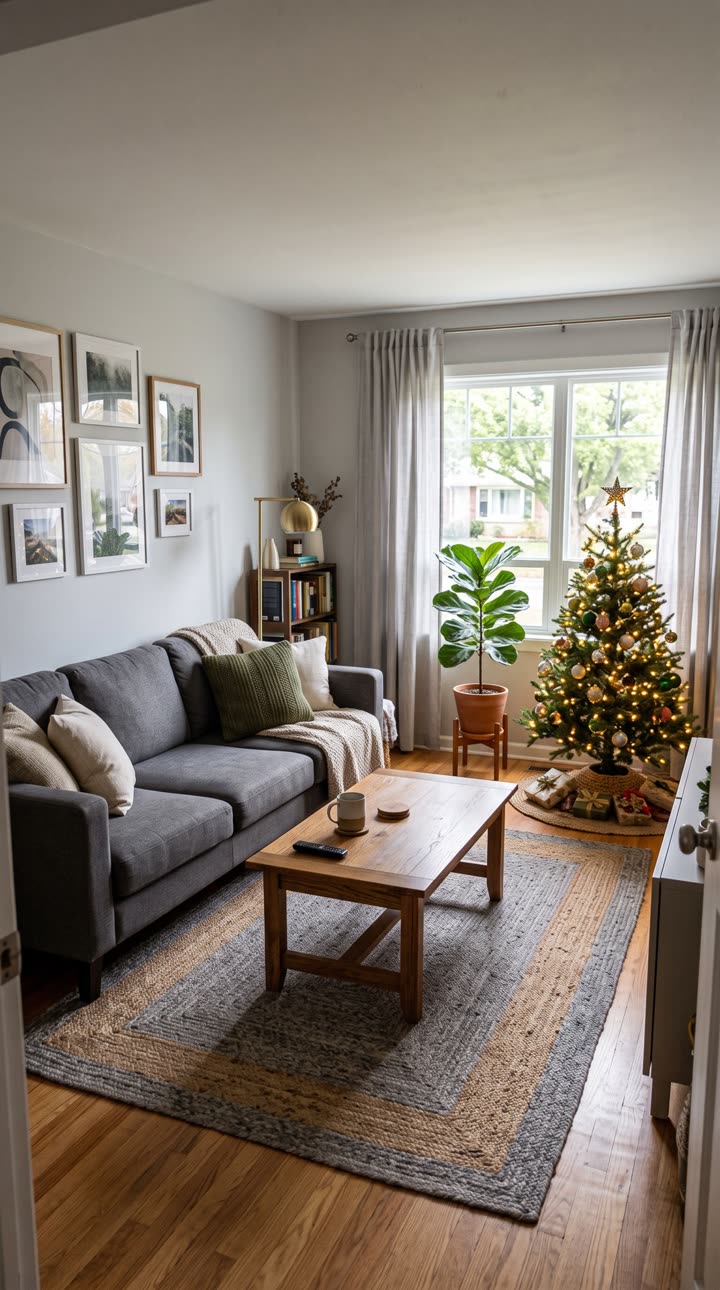
Best results: your whole living room in one wide shot, taken from a corner, with the lights on and the room tidy. No people in the photo, especially not kids, and no pets. Avoid close-ups of one corner, very dark photos and heavy filters.
2Length
Template: our own AI-made clip, no real footage. Music: "Jingle Bells", U.S. Air Force Band of Mid-America (public domain) · AI render · full 15 s · input is a living-room photo (AI-generated sample)
Also called: Catch Santa on camera · Santa caught on security camera · Santa security camera footage · Santa caught on camera in house · Catch Santa in my house · Santa cam
Santa Caught on Camera is a short video that looks like your home security camera filmed Santa Claus in your living room on Christmas Eve. Parents make these to surprise kids who still believe in Santa. It isn't a real recording. It's made from one photo of your room.
This is our own template, made with AI, so there's no real footage in it. Upload a photo of your living room, and the AI rebuilds that room as a grainy, high-corner camera shot with Santa sneaking through it. You don't upload anyone's face. The 7-second cut costs 5 credits, and the full 15 seconds, from the moment he comes in to the moment he leaves, costs 15.
What is Santa Caught on Camera?
Santa Caught on Camera is an old Christmas idea with new tools. Parents want "proof" that Santa came, so they show the kids a picture or a clip of him in their own house.
For years this was done with apps that paste a Santa picture into a photo of your room. The best known, "Catch Santa In My House!" by Capture The Magic, has been on the App Store since November 2016 and had 25,410 ratings on 17 November 2026. Some security companies joined in too. Alarm.com's "Santa Security" lets you drop a Santa into a snapshot from your own camera.
Since the 2025 holidays, more people make it as an AI video instead: one photo of the room in, a clip of Santa walking through it out. Most of the "Santa caught on camera" videos you see online are made this way or edited. The biggest compilation on YouTube, with about 1.1 million views on 17 November 2026, calls itself a "CCTV Style Parody" in its own description.
How our Santa Caught on Camera template works
You upload one photo of your living room. The AI keeps Santa from our template, with his red suit, his sack and every move, and swaps the room around him for yours: your walls, sofa, rug, window and decorations.
It shows the room from a high corner, like an indoor security camera, with dim light and a grainy CCTV look. If your photo has no Christmas tree, the AI adds one lit tree with wrapped gifts under it. There's no fake timestamp or text on the screen, so the clip stays clean.
Nothing else from you goes in. No face, no name and no voice. That also means Santa doesn't talk in this video and doesn't say your child's name. You get the camera clip and the music, nothing more.
The Santa Caught on Camera clip, shot by shot
The template is one fixed camera with no cuts, 9:16 vertical at 720p, like a phone-sized security feed. A small dome camera hangs at the top of the frame. We timed Santa's moves frame by frame on 17 November 2026:
0 to 2.5 seconds: the room is quiet and the tree is lit. Santa tiptoes in from the bottom-left corner with his sack over his shoulder and heads for the tree.
2.5 to 5.5 seconds: he bends down at the tree and sets wrapped gifts under it.
5.5 to 7 seconds: he straightens up and walks over to the coffee table.
7 to 9 seconds: he takes a cookie from the bowl and has a bite.
9.5 to 11.5 seconds: he looks straight up at the camera and smiles.
12 to 13 seconds: finger to his lips. Shh.
13 to 15 seconds: he turns and tiptoes back out of the bottom-left corner.
The 7-second cut is seconds 4 to 11. It starts with Santa already at the tree, keeps the cookie, and ends as he looks up at the camera and smiles. The shh and the sneak out are only in the full 15 seconds.
Will it look like my room?
In our tests, yes. On 16 and 17 November 2026 we ran the template with two different living room photos. Both came back as the room in the photo, with Santa walking through it.
It didn't work the first time. Our first version of the template kept the original room and only changed a few colors. We rewrote it so the AI rebuilds the whole room from your photo, and that's the version you use here.
The AI still guesses at things the photo doesn't show, like the wall behind the camera or what's on a shelf. Small details can come out different from your real room. A clear, wide photo gives it less to guess. If a render fails outright, the credits go back to your balance.
Picking your room photo
Stand in a corner of the living room and take one wide photo with your phone, so most of the room is in it. Turn the lights on and tidy up first. Higher is better, since the video is shot from up near the ceiling.
Don't include people. That goes double for kids: you never need a photo of your child for this, and you shouldn't upload one. Pets and mirrors with someone in them can also confuse the AI.
Take the photo after the tree goes up if you can. Then the tree in the video is your tree, with your ornaments. If it's not up yet, the AI adds a tree, but it won't be yours.
The music: "Jingle Bells"
The music in the clip is "Jingle Bells", an instrumental recording by the U.S. Air Force Band of Mid-America from 2020. It's a U.S. government work, so it's in the public domain.
There are no voices or sound effects on top, just the music. If you'd rather it feel like real camera audio, you can mute it or swap the sound when you post.
Santa Caught on Camera AI vs apps and other sites
Apps like "Catch Santa In My House!" are free to download, but they paste a still Santa picture into your photo, and the extras are in-app purchases ($0.99 to $5.99 each on Google Play, with ads). Alarm.com's Santa Security is a snapshot, not a video, and you need its camera service plan. In 2025 it was only open from 1 to 31 December.
Other AI sites make the same kind of clip. santacam.org and SantaWasHere also use a photo of your room with nobody in it, and Santa says your child's name, which we don't do. santacam.org starts at $4.99 for one video and SantaWasHere at $9.99. MakeViral's version is 10 seconds with sound and says a name, for 126 credits. Jump on the Trend uses your own face in a generic living room, 10 seconds with no sound, for $6.99. Front Door Santa in the UK does the front door instead, from £9.99. We read those pages on 17 November 2026, and their prices may change.
If you want Santa to say your child's name, or you want the front door, those sites are a better fit. Ours is the indoor living room, with no voice. The 7-second cut is 5 credits, which the Try pack (USD 4.99) covers. The full 15 seconds is 15 credits, the Single pack (USD 9.99). It takes a few minutes to make. You can close the page; the video shows up in My videos, and we email you when it's ready.
When to make it
People look for this almost only in the week before Christmas. Search interest for "santa caught on camera" peaks between about 19 and 25 December every year, and it's close to zero the rest of the year.
You don't have to order days ahead here, because the video is made in minutes. But don't leave it to the last hour on Christmas Eve. Take the room photo once the tree is up, make the video, and keep it ready for Christmas morning.
Sharing your Santa Caught on Camera video
The video downloads as a 9:16 vertical MP4 at 720p, with the music on it. It plays fine on a phone, a tablet or the TV, and you can send it on WhatsApp or post it on TikTok, Reels and Shorts.
On TikTok people tag these #santacaughtoncamera, #santacam and #caughtoncamera. If you post it publicly, say it's AI. Your kids might not read the caption, but other people will.
How much does a Santa Caught on Camera video cost?
A 7-second Santa Caught on Camera video costs 5 credits. The cheapest way to make one is the Try pack: $4.99 for 5 credits.
| Length | Credits | Cheapest pack that covers it |
|---|---|---|
| 7 s | 5 | Try · $4.99 (5 credits) |
| 15 s | 15 | Single · $9.99 (15 credits) |
No subscription. Credits never expire, and a failed render gives your credits back automatically.
Sample results
One photo in, one video out
 PhotoSanta Caught on Camera
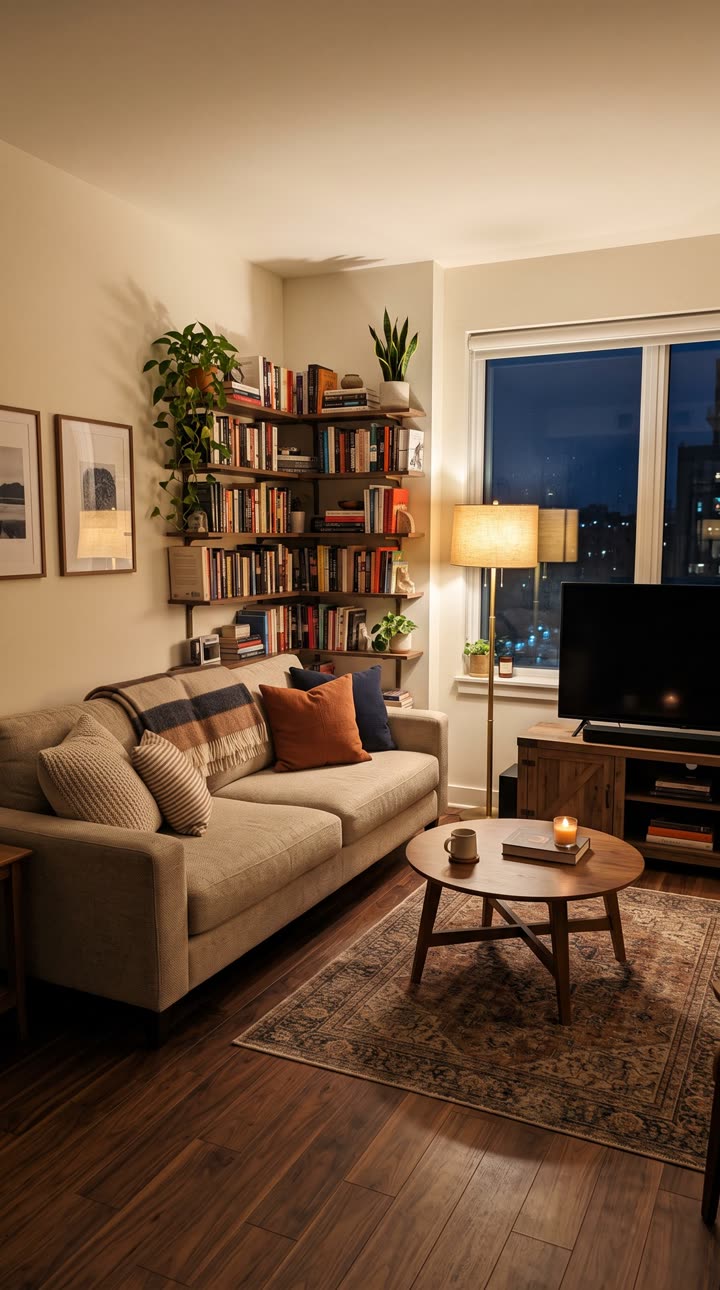 PhotoSanta Caught on Camera
Questions, answered
Is this real security camera footage?
No. It's an AI video made from one photo of your room. Our template is our own AI-made clip, and nothing in it was filmed.
Does Santa say my child's name?
No. There's no voice in this video, only the music. Some other sites, like santacam.org, do a version where Santa says a name.
What song is in the video?
"Jingle Bells", an instrumental recording by the U.S. Air Force Band of Mid-America from 2020. It's in the public domain.
Do I need a security camera?
No. A normal phone photo of your living room is enough. The video just looks like it came from a camera up in the corner.
Can I use a photo of my front door or porch?
This template is an indoor living room. A porch or front door photo isn't what it's made for, and we haven't tested it.
What if my photo has no Christmas tree?
The AI adds one lit tree with wrapped gifts under it. If your tree is already up, take the photo with it in, so the video shows your own tree.
How long is the video?
The full version is 15 seconds, from Santa coming in to him tiptoeing out. The 7-second cut starts at the tree and ends as he looks up at the camera.
What photo can I use?
A photo of a room in your own home, with nobody in it. Never upload photos of kids or of other people. Videos are marked as AI-generated on our player and share pages; say it's AI when you post.
Is this affiliated with Ring, Alarm.com or the Santa apps?
No. TrendTemplate is independent and not affiliated with Ring, Alarm.com, Capture The Magic or any other camera brand or Santa app. The template is our own AI-made clip, and the music is a public domain recording.
Guides and tips
- How to Catch Santa on Camera (AI Video From 1 Photo)How to catch Santa on camera: you can't film the real one, so parents make an AI security camera clip from one photo of the living room. Step by step.
- Santa Caught on Camera at Home: Christmas Morning IdeasIdeas for showing kids a Santa caught on camera video on Christmas morning: when to take the photo, how to show it, and what to say if they ask questions.
- Santa Caught on Camera Free? Apps vs AI Video ComparedIs there a free Santa caught on camera app? Not really: apps are free to download with in-app purchases, and AI video sites charge. What each one gives you.
- AI Christmas Video Generator: 7 Holiday TemplatesMake an AI Christmas video from your photos: dance with Santa, the pajama dance, Santa on your own home camera, a nutcracker march or a snowman. From $4.99.