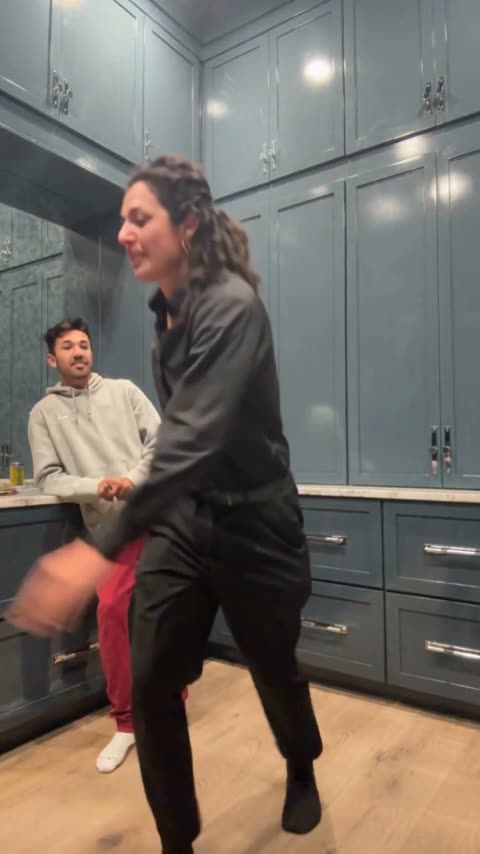
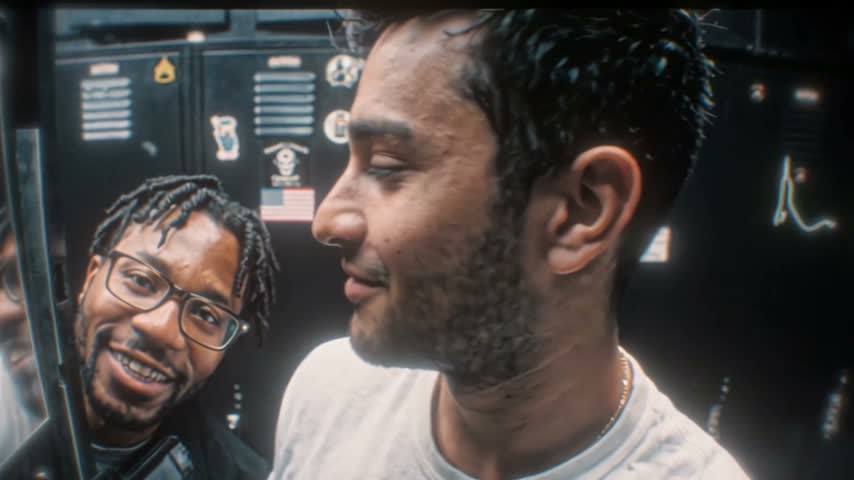
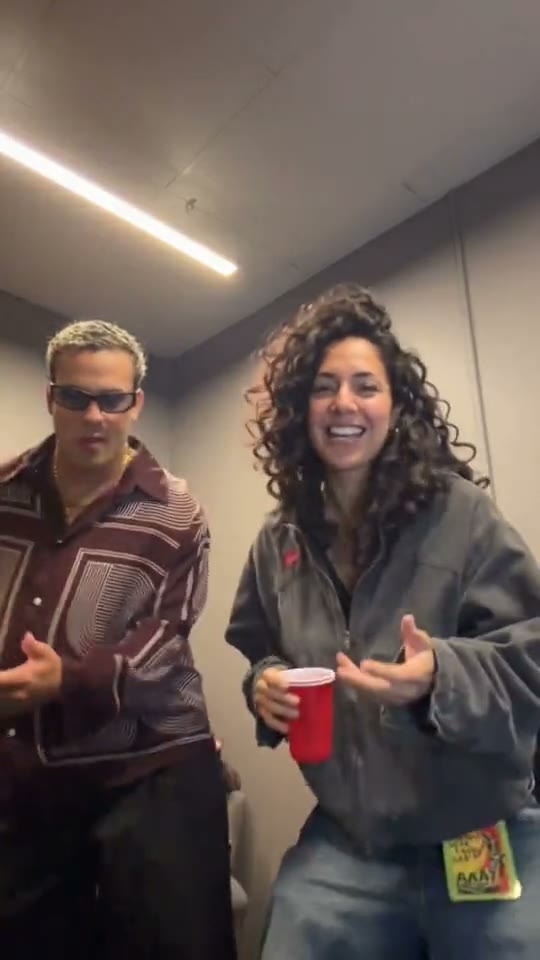
365 Elevator AI: The Sampagne Edit
Upload one or two photos and star in the 365 elevator edit: one of you waits, the other walks in, and you both stare into the camera to Sampagne's "365". 7 or 14 seconds.
- 1–2 photos
- 7 s / 14 s
- One video from $4.99
- 720p MP4, original sound, no watermark
- Credits back if it fails
Create your video
1Your photos
One photo swaps in one subject. Add up to 2 photos to replace every role in the clip. You can pick them all at once.
 Replaces: The one waiting in the elevator
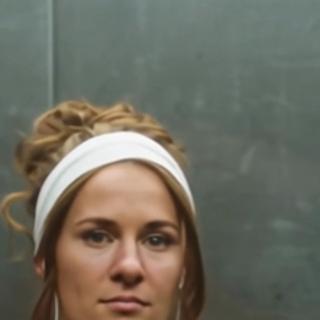 Replaces: The one who walks inOptional
Best results: one person per photo, facing the camera, chest up, sharp and evenly lit. Photo 1 waits in the elevator; photo 2 (optional) walks in. Roles go by upload order, not gender. For the full 14 seconds, a man waiting and a woman walking in came out best. No sunglasses, hats or group shots.
2Length
Sign in and you can see 2 free previews of yourself in this scene before paying. Sign in
Template: our own AI recreation of the 365 elevator edit with two AI-generated people, not any celebrity or creator · sound: "365" as used in the trend · AI render · full 14 s · he waits, she walks in; her photo's green sleeves show under the dress · two sample photos, both AI-generated
Also called: 365 elevator scene · 365 elevator trend · 365 Sampagne elevator · 365 Sampagne elevator AI · Sampagne 365 elevator edit · elevator 365 · 365 trend template
Quick facts: 1 or 2 photos, no prompt to write, 7 seconds for USD 4.99 or the full 14 seconds for USD 9.99, paid once with no subscription. You get a 720p MP4 in 4:3 with the song "365" as used in the trend. Before you pay, you can see 2 free still previews of yourself in the elevator.
365 Elevator is a TikTok trend from November 2026: short AI edits of two famous people sharing a steel elevator, set to "365", a German song by the singer Sampagne. One person waits, the other walks in and turns around, and then both just stand there and stare into the camera. The edits come from the German account @neoausdermatrix33, which posted 97 of them between 19 and 24 November 2026, with about 33.7 million plays in total.
365 Elevator AI is our own AI recreation of that elevator edit, with you and a friend in it instead of celebrities. Photo 1 is the one waiting in the elevator and photo 2 is the one who walks in. It's one continuous take in 4:3, like the original edits.
What is the 365 elevator trend?
The 365 elevator trend is a run of AI-made TikTok edits that put two well-known people in the same elevator. Each clip is 14 seconds, shot in one take with a camera that doesn't move. There's no dialogue and no text on screen, only the song "365" by Sampagne.
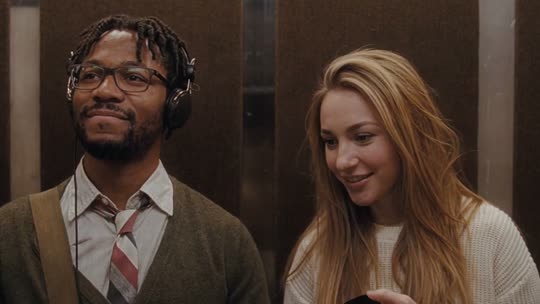
The 365 elevator scene always plays out the same way. One person stands alone in a stainless steel elevator under two white strip lights. The other walks in with their back to the camera, turns, and stands next to them. They touch their hair, check a phone, glance at each other, then both stare into the lens with a blank face.
The joke in the 365 elevator trend is the pairing. The account behind it picks two people with a story: rivals, exes, old duos. Cristiano Ronaldo and Lionel Messi, Shirin David and Loredana, and Bonez MC and Fler were among the first. Almost every caption asks "wen wollt ihr als nächstes sehen?", German for "who do you want to see next?"
People call it a few things. On 24 November 2026, Google suggested "365 elevator scene" when you typed "365 elevator", and "sampagne 365 tage" for the singer's name. TikTok tutorials call it "365 elevator" or "365 Sampagne elevator AI".
The song: "365" by Sampagne
"365" is a single by Sampagne, a German singer and rapper whose real name is Samuel Wernik. Sampagne is a man; some sites call him "she", which is wrong. As a kid he was a contestant on The Voice Kids in Germany.
"365" came out on 12 November 2026 through Ventura Records. Deezer and Apple Music list it as hip-hop/rap. It runs 2 minutes 5 seconds and isn't marked explicit.
The "365" song is in German. The elevator edits use the opening, which starts "Was sich liebt, ja, das neckt sich". That's a German saying, roughly "those who love each other tease each other". The title comes from the next line, about waiting 365 days for someone; "365 Tage" just means "365 days".
"365" has nothing to do with the Polish film 365 Days, even though Google suggests the film when you type "365 tage". Shirin David turning up in the elevator does have a link, though: Sampagne is on her 2024 single "It Girl", also known as "Rich Girl, It Girl".
365 elevator timeline
22 October 2026: Sampagne posts the first teaser of "365" on TikTok, a 21-second studio clip captioned "dreihundertfünfundsechzig" (three hundred sixty-five in German). The "365" sound on TikTok starts with this post. It had about 311,500 plays by 24 November.
12 November 2026: "365" comes out on streaming services, after weeks of countdown posts from Sampagne.
19 November 2026, 20:29 UTC: @neoausdermatrix33, a German fan account that had been posting edits for the song since early November, posts its first elevator edit. It had about 587,700 plays by 24 November. Forty-nine minutes later, at 21:18 UTC, the Bonez MC and Fler edit goes up (about 310,500 plays).
20 November 2026: the Cristiano Ronaldo and Lionel Messi edit goes up at 08:16 UTC, captioned "wer ist denn jetzt der goat?" ("so who's the GOAT now?"). By 24 November it had 1.1 million plays and about 74,600 likes. The Shirin David and Loredana edit follows at 14:40 UTC and reached about 795,900 plays. The German rap news site Raptastisch wrote about it on 22 November.
20 to 23 November 2026: the account posts 22 to 23 elevator edits a day. By 06:10 UTC on 24 November it had 97 of them, about 33.7 million plays in total, and 8 had passed 1 million each.
21 November 2026: English-language TikTok tutorials for a "365 elevator" CapCut template start. The earliest we found was by @bao268096 at 04:12 UTC. A CapCut template tutorial by @violet06827 on 23 November had about 249,000 plays a day later.
24 November 2026: of the AI video sites we checked, only MakeViral had a template for the 365 elevator edit.
The template, second by second
Our 365 Elevator template is our own AI recreation of the edit. The two people in it are AI-generated, not any celebrity or creator, and we don't show the original edits on this page. It keeps the steel elevator look, the fixed camera and the one continuous take. It's 14 seconds, 4:3, 720p, with "365" as used in the trend. The times below are approximate.
0 to 1.5 seconds: the person in the dark teal puffer jacket waits alone on the right side of the elevator.
1.5 to 4 seconds: the other person walks in with their back to the camera, in a white headband and a pale yellow sleeveless dress, and turns around.
4 to 8 seconds: they stand side by side. A glance, a look at the phone, a hand in the hair.
8 to 14 seconds: both pose and stare straight into the camera.
The 7-second cut has the wait, the walk-in and the turn, and stops before the stare. The full 14 seconds is the whole edit, the stare included. That stare is the part people remember, so pick 14 seconds if you want the full joke.
Who plays who (photo order)
365 Elevator AI has two roles, and upload order decides who plays which, not gender. Photo 1 is the one waiting in the dark teal puffer jacket, there from the first frame. Photo 2, which is optional, is the one who walks in with the white headband and pale yellow dress.
With one photo, you're the one waiting, and our AI walker still walks in and stands next to you. With two photos, both people are swapped.
365 Elevator AI puts both people in the template's outfits. Photo 1 always gets the puffer jacket and photo 2 always gets the headband and dress, whatever you wore in your photo. So a man as photo 2 walks in wearing the yellow dress, which in our tests was the funniest version.
Which pairing to pick: for the full 14 seconds, put the man first (waiting) and the woman second (walking in). That's the order that came out right in our tests. A woman waiting and a man walking in worked in the 7-second cut, but not in the full 14 seconds.
Will it look like us? (our tests)
We tested 365 Elevator AI on 24 November 2026, first at 480p and then again at 720p for the examples. With a man waiting and a woman walking in, the full 14 seconds came out right in every frame. In the 720p example, her photo's green sweater sleeves stayed under the dress the whole time, so a plain, short-sleeved top in the photo works best.
A woman alone in the 7-second cut was right too, and our AI walker stayed in place. A woman waiting and an older man walking in was right at 480p in the 7-second cut, and the man in the yellow dress made us laugh. At 720p his face was right but he kept our AI walker's ginger hair bun, so the walker's hairstyle can come from the template.
The same swapped pairing in the full 14 seconds came out wrong. The AI swapped the two by gender: the woman ended up as the one walking in, still wearing the top from her own photo. So for the full 14 seconds, use the man-waits, woman-walks-in order. If you want the roles the other way round, pick the 7-second cut.
365 Elevator AI won't be perfect every time. Each render comes out a little different, even from the same photos. If a render fails, your credits come back automatically. The full 14 seconds takes about 10 minutes and the 7-second cut a few minutes. You can close the page; the video lands in My videos and we email you when it's ready.
Picking your photos
For 365 Elevator AI, use one person per photo, facing the camera, chest up, sharp and evenly lit. The stare at the end is where both faces show most, so a clear face matters more than a full-body shot.
A plain, close-fitting top in your photo helps. Your clothes are replaced by the template outfits, but in one of our tests a sweater sleeve from the photo still showed through. Skip sunglasses, hats, heavy filters and group shots.
The original edits use famous faces. Our site doesn't: only use your own photo or one of an adult who said yes. Photos of kids, celebrities and public figures aren't allowed. This template is for people, not pets.
365 Elevator AI vs MakeViral and CapCut
MakeViral was the only other AI video site we found with a 365 elevator template on 24 November 2026. It takes 2 photos and makes a 14-second, 720p video for 213 credits. Its smallest one-time pack is $39.99 for 450 credits. The top of its page says 16:9, but the original edits are 4:3. Starrd, Jump on the Trend, Flowlio and ViralRemix didn't have this template that day.
MakeViral is the better pick if you want a pet in the elevator, since its page allows a pet photo, or if you'll use its credits for other videos anyway. 365 Elevator AI on our page costs USD 9.99 for the full 14 seconds or USD 4.99 for 7 seconds, paid once. It also works with just one photo.
The CapCut template is what most English-language TikTok tutorials have used since 21 November. It runs in the CapCut app on your phone, so it fits if you already edit there. We haven't checked what it costs or how many photos it takes.
The free option is acting it out. Stand in a real elevator with a friend, film one take, and add "365" from TikTok's sound library. TrendTemplate isn't connected to MakeViral or CapCut; we only name them to compare, and their prices may change.
Posting it
Your 365 elevator video already has the song in it, so you can post it as it is. It's 4:3, so on TikTok and Reels it plays with bars above and below unless you crop it. The original edits are 4:3 too, so it'll look like them.
For the caption, borrow the trend's own line: "who do you want to see next?" Tag your friend if they walked in, and put "365 elevator" and "Sampagne" in the caption so people looking for the trend find it.
Say it's AI when you post. Our player and share pages already label the video as AI-generated.
TrendTemplate is not affiliated with or endorsed by Sampagne, Ventura Records, @neoausdermatrix33, TikTok, CapCut, MakeViral or any person shown in the earlier 365 elevator edits. Our template is our own AI recreation of the elevator edit: the two people in it are AI-generated, not any celebrity or creator, and we don't show the original edits. The song is "365" by Sampagne, as used in the trend.
How much does a 365 Elevator video cost?
A 7-second 365 Elevator video costs 5 credits. The cheapest way to make one is the Try pack: $4.99 for 5 credits.
| Length | Credits | Cheapest pack that covers it |
|---|---|---|
| 7 s | 5 | Try · $4.99 (5 credits) |
| 14 s | 15 | Single · $9.99 (15 credits) |
No subscription. Credits never expire, and a failed render gives your credits back automatically.
Sample results
One photo in, one video out

 Photo365 Elevator
Questions, answered
What is the 365 elevator scene?
It's a 14-second AI edit where two famous people share a steel elevator to Sampagne's song "365". One waits, the other walks in and turns, and both end up staring into the camera. The German account @neoausdermatrix33 started posting them on 19 November 2026.
What song is used in the 365 elevator trend?
"365" by Sampagne, a German single released on 12 November 2026 through Ventura Records. The edits use the opening, which starts "Was sich liebt, ja, das neckt sich" ("those who love each other tease each other").
Who is Sampagne?
Sampagne is a German singer and rapper whose real name is Samuel Wernik. He's a man, though some sites call him "she". He was on The Voice Kids in Germany as a kid and is featured on Shirin David's 2024 single "It Girl".
Is "365 Tage" from the movie 365 Days?
No. "365 Tage" is German for "365 days" and comes from the lyrics of Sampagne's song. Google suggests the Polish film 365 Days for "365 tage", but the elevator trend has nothing to do with it.
Who made the first 365 elevator edit?
The elevator edits come from the German fan account @neoausdermatrix33. Its first one went up on 19 November 2026 at 20:29 UTC. The Bonez MC and Fler edit came 49 minutes later, so it wasn't the first, even though some sites say the trend started with it.
Can I do the 365 elevator trend with one photo?
Yes. With one photo you're the one waiting in the elevator, and our AI walker walks in next to you. Add a second photo if a friend should be the one who walks in.
Can a guy be the one who walks in?
Yes, and he'll wear the yellow dress, since outfits come from the template. In our tests a woman waiting and a man walking in came out right in the 7-second cut, but in the full 14 seconds the AI swapped them by gender. For 14 seconds, put the man first.
Can I see a preview before I pay?
Yes. Sign in, upload your photo and tick the consent box, and you get 2 free previews for this template. Each one is a still picture of you as the one waiting in the elevator, ready in about 30 seconds, and it uses no credits. A preview that fails doesn't count. Only the video costs credits.
Whose photos can I use?
Yours and those of adults who said yes. Photos of kids, celebrities or public figures are not allowed, even though the original edits use famous faces. Videos are marked as AI-generated on our player and share pages; please say it's AI when you post.
Guides and tips
- How to Make the 365 Elevator AI Video (1–2 Photos)How to make the 365 elevator AI video: who waits and who walks in, 7 or 14 seconds, how long it takes, and how to post it with Sampagne's "365".
- 365 Elevator Trend: Sampagne's Song and the First EditsWhere the 365 elevator trend came from: Sampagne's song "365", the first elevator edit on 19 November 2026, the celebrity duos and the CapCut templates.